


Quick Picks: Best Portable Generators for Laptop
- Best Compact Station: EcoFlow RIVER 2 256Wh – lightweight at 7.7 lbs, runs most laptops 3-5 full charges, X-Stream fast charging from 0 to 80% in 35 minutes
- Best Value 256Wh Station: Jackery Explorer 240 v2 256Wh – LiFePO4 battery for longer lifespan, lightweight, handles all laptop charging and USB-C PD devices
- Best Budget 600W Output: Bluetti EB3A 268Wh – 600W AC output handles demanding laptops with dedicated GPUs, USB-C PD at 100W for fastest direct charging
- Best LiFePO4 Durability: Anker 521 256Wh – LiFePO4 chemistry for extended cycle life, compact and lightweight for daily carry and desk use
- Best Travel-Sized Station: Jackery Explorer 300 292Wh – slightly larger capacity for multi-device charging, trusted travel companion for CPAP and travel electronics
- Best Latest-Gen Compact: EcoFlow RIVER 3 Plus 286Wh – newest EcoFlow compact station with improved power management and fast charging capability
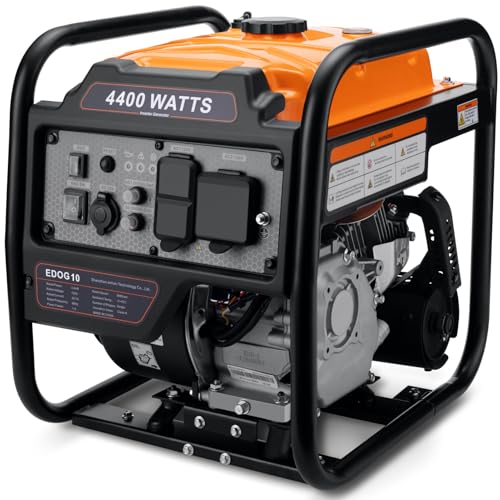
The question of how to power a laptop from a portable generator has a clear answer: do not use a gas generator for laptop charging. A standard laptop draws 45 to 100 watts. A gaming laptop draws 100 to 200 watts under load. Running a 2000-watt gasoline inverter generator to power a device using one-twentieth of its capacity is the energy equivalent of driving a freight truck to the grocery store – technically functional, but deeply impractical. The noise, fuel cost, fuel logistics, exhaust, and weight of a gas generator are disproportionate to laptop charging requirements in any scenario where a battery power station is an alternative.
Battery power stations – compact lithium battery units with AC outlets, USB-C PD ports, and USB-A ports – are the correct tool for laptop power. A 256-300Wh station weighs 6-9 pounds, is completely silent, produces no emissions, and can be used safely indoors, in a vehicle, on an airplane, or at a campsite. For a laptop drawing 65 watts, a 256Wh station provides roughly 3.5 hours of use before recharging. For a more efficient 45W machine, runtime extends to 5 hours. For travelers, remote workers, and campers who need laptop power without fuel or engine complexity, a battery power station is the right equipment category.
USB-C Power Delivery (PD) charging is faster and more efficient than AC adapter charging for most modern laptops. A USB-C PD port at 65W or 100W charges a USB-C laptop directly without an AC adapter, at maximum speed, with minimal conversion losses. When choosing a power station for laptop use, prioritize a unit with a 65W or 100W USB-C PD output over a lower-wattage USB-C port or AC outlet with adapter.
Understanding Laptop Power Consumption
Laptop power draw varies significantly by use case. A business laptop in office productivity use draws 15-45 watts. The same laptop streaming video draws 25-55 watts. A gaming laptop in gaming mode draws 100-200 watts. An ultrabook at maximum CPU load draws 25-65 watts. For power station sizing, use the maximum expected draw rather than the idle draw, then add 10-15% for conversion efficiency losses. A 256Wh station powering a 60W laptop at 85% conversion efficiency delivers approximately 3.5 hours of full-power use – more in light-use productivity mode, less in demanding processing or gaming mode.
For travel use, note that the FAA limits carry-on lithium batteries to 100Wh or less without airline approval, and batteries between 100Wh and 160Wh require airline approval. All six stations on this list are in the 256-300Wh range, which falls in the 160Wh-plus category that typically requires checking or specific airline approval. For international air travel, verify the specific airline’s lithium battery policy before traveling with any of these stations. For car travel, train travel, or camping, the FAA rules do not apply and all of these stations travel freely.
Best Portable Power Stations for Laptop – Reviewed
EcoFlow RIVER 2 – Fastest Recharging Compact Station
The defining feature of the EcoFlow RIVER 2 is X-Stream charging technology: from flat to 80% in 35 minutes from a standard 120V outlet, and full charge in under an hour. For remote workers who have access to power between sessions but not during them – a hotel room in the morning, then a day working from cafes and parks – the RIVER 2 charges completely during the hotel stay and then powers the laptop through the day. At 256Wh capacity and 7.7 pounds, it is the lightest station on this list and fits in a daypack alongside a laptop without a dedicated bag.
The LiFePO4 battery chemistry provides over 3000 charge cycles before capacity drops to 80% – roughly 8 years of daily charging. The combination of fast recharging and long battery lifespan makes the RIVER 2 the most practical daily-carry power station for a nomadic work lifestyle. Three AC outlets plus USB-C PD and USB-A ports handle a full mobile office setup: laptop, phone, earbuds, and a small tablet simultaneously.
Best for: Digital nomads and remote workers who move between power access points throughout the day, travelers who can charge overnight and need all-day laptop power, anyone for whom fast recharging is the most important specification.
Jackery Explorer 240 v2 – LiFePO4 Reliability in a Compact Package
Jackery’s transition to LiFePO4 battery chemistry in the Explorer 240 v2 addresses the main limitation of earlier lithium-ion-based compact stations: cycle life. LiFePO4 batteries maintain capacity through 3000 or more charge cycles versus the 500-800 cycles typical of older lithium-ion designs. For a power station used daily or several times per week, this difference means the Jackery Explorer 240 v2 maintains its capacity for years of regular use without the capacity fade that affects earlier designs. The 256Wh capacity and compact design handle the standard laptop charging task with 3-5 charges before depletion.
The Jackery Explorer 240 v2 recharges from a standard outlet in approximately 1.5 hours, faster than earlier Jackery models. USB-C PD output at 60W covers most USB-C laptops at near-maximum charging speed without an AC adapter. For travelers and remote workers who need a compact, durable laptop power solution with long service life, the LiFePO4 chemistry makes this the most future-proof choice in the compact station category.
Best for: Daily remote workers who use their power station regularly and want LiFePO4 longevity, travelers who prefer Jackery’s established reputation and service support, anyone prioritizing long-term durability over fast recharging speed.
Bluetti EB3A – 600W Output for Power-Hungry Laptops
Creative professionals, data scientists, and gamers running demanding workloads on high-performance laptops need more than the 300W output of basic compact stations. The Bluetti EB3A delivers 600W of AC output and a 100W USB-C PD port, which covers gaming laptops at peak load, video editing workstations, and any USB-C device that supports 100W PD charging. At 268Wh capacity, it provides 1-2 hours of use for a 150-200W gaming laptop, or 4-5 hours for a 45W ultrabook. The 100W USB-C PD is the fastest direct laptop charging option available in this capacity class.
The Bluetti EB3A recharges via AC in approximately 1 hour and accepts solar input simultaneously with AC charging for faster combined recharge. For remote workers who use high-performance laptops or who charge multiple devices simultaneously, the 600W output capacity and 100W USB-C PD specification make the EB3A the power station with the most headroom in the compact class. BLUETTI’s solar input compatibility also makes it a natural fit for outdoor or van-life workspaces where solar charging is a primary recharge method. For the broader range of solar-capable power stations, see the portable solar generator guide.
Best for: High-performance laptop users who need 100W+ PD charging, creative professionals and gamers running demanding workloads on premium laptops, anyone who wants 600W AC output capacity in a compact station.
Anker 521 – Long-Life LiFePO4 for Daily Desk Use
The Anker 521 is designed specifically around LiFePO4 durability – the battery chemistry that outlasts standard lithium-ion by a factor of five or more in charge cycles. Anker rates the 521’s battery for 3000+ cycles while retaining 80% capacity, which translates to roughly 8 years of daily use. For a power station used as a daily desk UPS – kept plugged in to maintain charge and used whenever utility power is unavailable – this cycle life means the station will outlast most of the laptops it charges. The compact size and 256Wh capacity cover the standard laptop charging use case without the bulk of higher-capacity stations.
Anker’s build quality and customer support reputation are among the strongest in the portable power station category, reflecting the company’s background as a premium charging accessories manufacturer. USB-C PD output covers most ultrabooks and mid-range laptops at adequate charging speed. At 7.4 pounds, the Anker 521 handles daily carry without adding significant bag weight.
Best for: Daily desk use as a laptop UPS backup, long-term laptop power solution where battery longevity is the priority, Anker brand loyalists who want a power station from a proven charging accessories manufacturer.
Jackery Explorer 300 – Slightly More Capacity for Multi-Device Use
At 292Wh capacity, the Jackery Explorer 300 provides roughly 15% more energy than the 256Wh compact stations on this list – enough for an additional laptop charge or extended simultaneous multi-device operation. For travelers who need to power a laptop plus a tablet plus a CPAP machine plus phone charging in sequence through a travel day, the slightly larger capacity provides meaningful additional runtime before depletion. Jackery’s established reputation for reliable power stations and accessible customer support makes the Explorer 300 a trusted travel companion for professionals who depend on their devices.
The Explorer 300 recharges in approximately 2 hours from a standard outlet and is compatible with Jackery’s SolarSaga solar panels for solar recharging. Weight at 7.1 pounds is comparable to the compact competition. For users who have previously owned and trusted a Jackery product, the Explorer 300 provides a familiar, reliable upgrade path with slightly more capacity than the entry-level compact stations.
Best for: Multi-device travelers who need capacity for a laptop plus CPAP or other medical device, anyone already in the Jackery ecosystem who wants a compact station with slightly more capacity than the 240Wh class.
EcoFlow RIVER 3 Plus – Latest-Gen Compact Performance
The EcoFlow RIVER 3 Plus represents EcoFlow’s current-generation compact station with improvements in power management, recharging speed, and port configuration over the original RIVER series. At 286Wh capacity and with EcoFlow’s X-Stream fast charging, the RIVER 3 Plus charges quickly from AC, provides adequate laptop runtime for a standard work session, and benefits from EcoFlow’s most recent battery management improvements. For buyers who want the latest technology in the compact EcoFlow range rather than the previous generation, the RIVER 3 Plus is the current model to consider.
Multiple USB-C PD ports allow simultaneous high-speed charging of a laptop and phone without a USB hub, a practical convenience for a single-unit travel power solution. EcoFlow’s app connectivity provides battery status monitoring from a phone, which is useful for managing power during a long travel day. For the complete range of EcoFlow portable power stations beyond the compact category, the portable solar generators for camping guide covers the full EcoFlow lineup alongside competitors.
Best for: EcoFlow brand users who want the latest-generation compact station, buyers comparing the RIVER 2 and RIVER 3 Plus who want the most current model, anyone who uses EcoFlow’s app ecosystem for monitoring and smart home integration.
How to Choose a Power Station for Laptop Use
Match Capacity to Your Daily Runtime Need
Divide your target daily runtime hours by your laptop’s watt draw to get the minimum Wh capacity needed, then add a 20% buffer for conversion efficiency losses. A laptop drawing 60W for 4 hours needs 240Wh minimum, so a 256Wh station provides just enough for a 4-hour session with minimal spare. For all-day use or multiple device charging from one station, step up to 400-600Wh capacity rather than relying on the minimum.
Prioritize USB-C PD Over AC for Efficiency
Charging a laptop through its USB-C PD port is more efficient than plugging the original AC adapter into the station’s AC outlet. The direct DC path from USB-C avoids the AC-to-DC conversion loss of the laptop’s adapter (typically 10-15% efficiency loss). Match the station’s USB-C PD wattage to the laptop’s maximum PD charging rate – a laptop that supports 100W PD benefits from a 100W PD port; a laptop limited to 45W PD does not benefit from a 100W port but also does not lose anything by using it.
Consider Recharge Speed for Your Scenario
For daily use with regular overnight recharging, recharge speed matters less – even a 2-hour recharge from flat is complete by morning. For day-trip use where the station must recharge between morning and afternoon sessions, a 1-hour recharge capability (EcoFlow RIVER 2, Bluetti EB3A) is meaningfully more useful. For solar-primary use with no regular AC access, recharge speed is irrelevant and solar panel wattage compatibility becomes the key specification.
FAQs
Can I charge a laptop directly from a power bank?
Modern USB-C laptops that support USB-C Power Delivery charging can charge directly from any USB-C PD power bank that delivers sufficient wattage. Most ultrabooks and business laptops require 45-65W PD to charge at full speed; gaming laptops may require 100W PD. Small USB-C power banks (10,000-20,000mAh) deliver 18-45W PD and can charge a laptop slowly or at moderate speed. The power stations on this list deliver 60-100W USB-C PD and are significantly larger capacity than portable power banks, providing much longer laptop runtime per charge.
How many times can a 256Wh station fully charge a laptop?
A laptop with a 65Wh internal battery requires approximately 65Wh to fully charge from flat. A 256Wh station delivers approximately 80% of its rated capacity through the USB-C PD path (due to conversion efficiency), providing roughly 205Wh of usable energy. This translates to approximately 3 full laptop charges from flat to full. For most practical use, the laptop is charged from 30-40% rather than from completely flat, so the station typically covers 4-5 partial top-up charges rather than 3 full charges.
When is a gas generator better than a power station for laptop use?
A gas generator is better than a power station for laptop use in only two scenarios: outages lasting more than 2-3 days without any opportunity to recharge the station from a car outlet or solar panel, and situations where the laptop is running alongside other high-wattage loads that justify the gas generator’s capacity. For any single-device laptop charging scenario of reasonable duration, a battery power station is quieter, safer, lighter, and more convenient than a gas generator.
Final Verdict
For laptop power, the right tool category is a battery power station, not a gas generator. Among the stations on this list, the EcoFlow RIVER 2 is the most compelling daily-use recommendation due to its 35-minute fast recharging that fits naturally into any day with brief power access. The Bluetti EB3A is the choice for high-performance laptops that need 100W USB-C PD charging or 600W AC output for GPU-intensive workloads.
For long-term durability, the Jackery Explorer 240 v2 and Anker 521 both use LiFePO4 chemistry that extends service life well beyond standard lithium-ion alternatives. Any of these stations provides the right solution for laptop power that a gas generator fundamentally cannot match in portability, noise, and simplicity.




Write Your Review
No reviews yet. Be the first to share your experience!